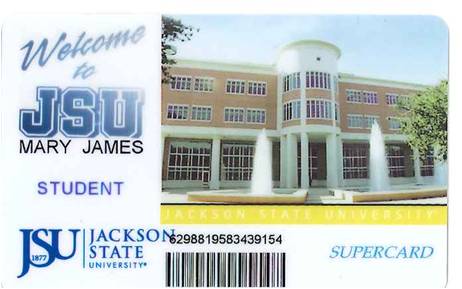
JSU™ Supercard

JSU™ Supercard
Auxiliary Enterprises | Department of Contractual Services’ (DCS) mission is to provide the students, faculty, and staff with a comprehensive system of services, programs, and activities designed to satisfy customer expectations and enhance campus living through contracted venues, while in support of the University’s overall academic mission.
Your JSU™ Supercard is a multi-purpose card. Its primary function is to serve as an identification card for all students, faculty, and staff and must be worn and visible at all times. The JSU™ Supercard also provides access to numerous venues throughout the campus and off-campus.
JSU SUPERCARD USES
JSU™ Supercard Uses:
Identification – Your JSU™ Supercard/ ID must be worn visibly at all times
Meal Plans – Provides access to all JSU™ Dining Services locations
Supercard Accounts – Can be used to make purchases at on and off-campus merchants
Fall 2025 SuperCard Funds will be available on August 18, 2025, the first day of class.
Vending – Use to purchase drinks and snacks from vending machines located throughout campus
Athletic Events – Your ticket to all athletic home events, including basketball, and football games
Recreational Facilities – Provides admission to the JSU™ Recreation Complex, Game Room, Movie Theatre, etc
Postal Services – Present your JSU™ Supercard to pick up packages at Tiger Mail and the UPS Store
Library – Can be used to check out books or use reference material in the library
Residence Hall – Use your JSU™ Supercard to enter your residence hall and room.
Laundry Facilities – Provides access to laundry facilities in residence halls throughout campus
JSU™ Supercard | GET
Jackson State University faculty, staff and
students can now use GET to manage
their JSU Supercard accounts. Find out more about the GET application by clicking “Learn More” below.

Attention New Students:
GET App Access & Photo Submissions
Please be advised that the GET App and its Photo Submission feature will not be available for your account until a physical ID card (Supercard) has been created at the ID Center.
Once your physical ID is printed, your information is synced with the GET App. At that point, you will be able to log in using your J Number and NetID password.
Important Note on Photo Submissions
The Photo Submission feature within the GET App is currently reserved for returning students, faculty, and staff who wish to update or change their existing ID picture. New students must have their initial photo taken and card printed in person at the ID Center to activate their digital accounts.